
Shared tasks
Choose which groups see each task, know what friends see, and add a friend's habit to your own tasks in one tap.
4 stepsYour tasks are yours until you decide to share them. You pick the groups for each task separately, and nobody sees anything you haven't shared.
-
Step 1 of 4
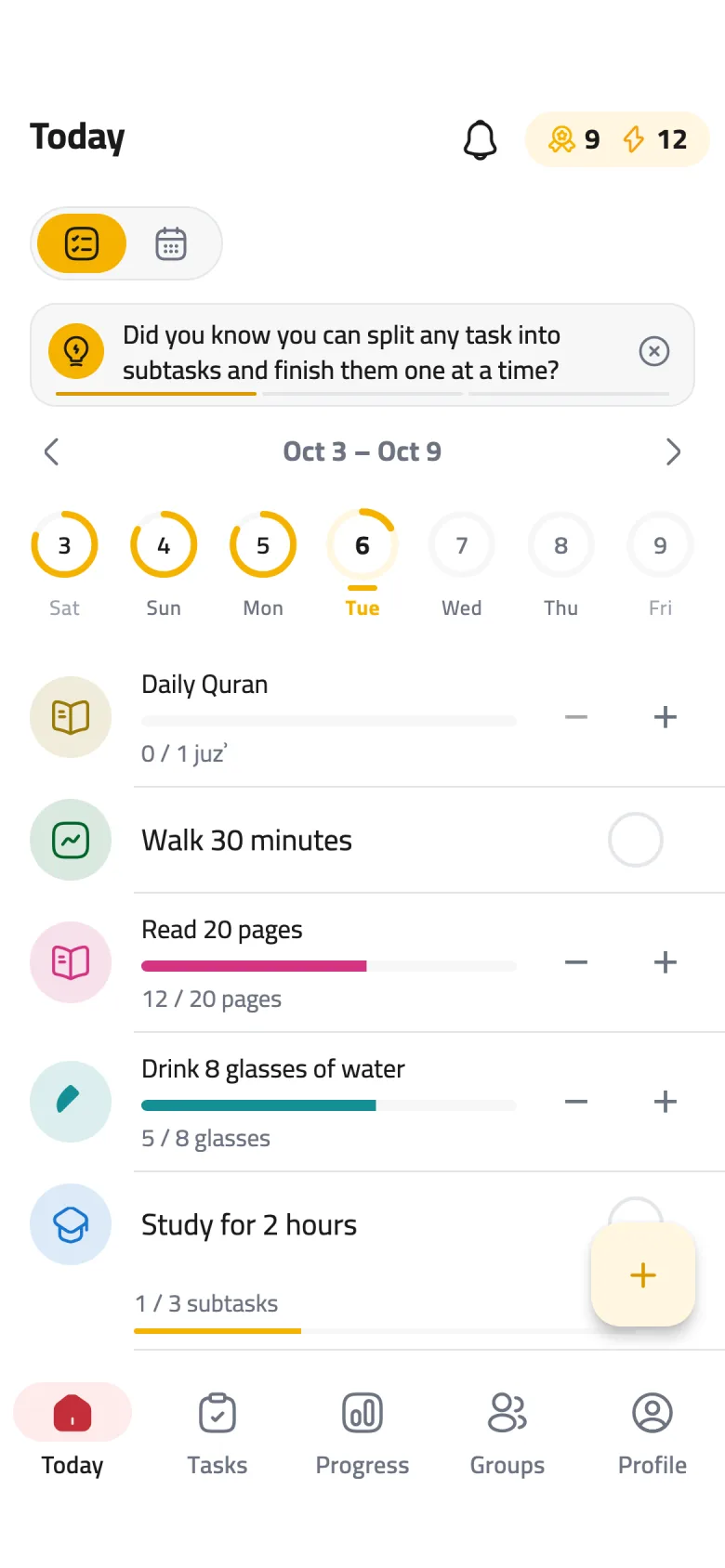
Open the task editor
Tap the + button to add a new task, or tap an existing task to edit it.
-
Step 2 of 4
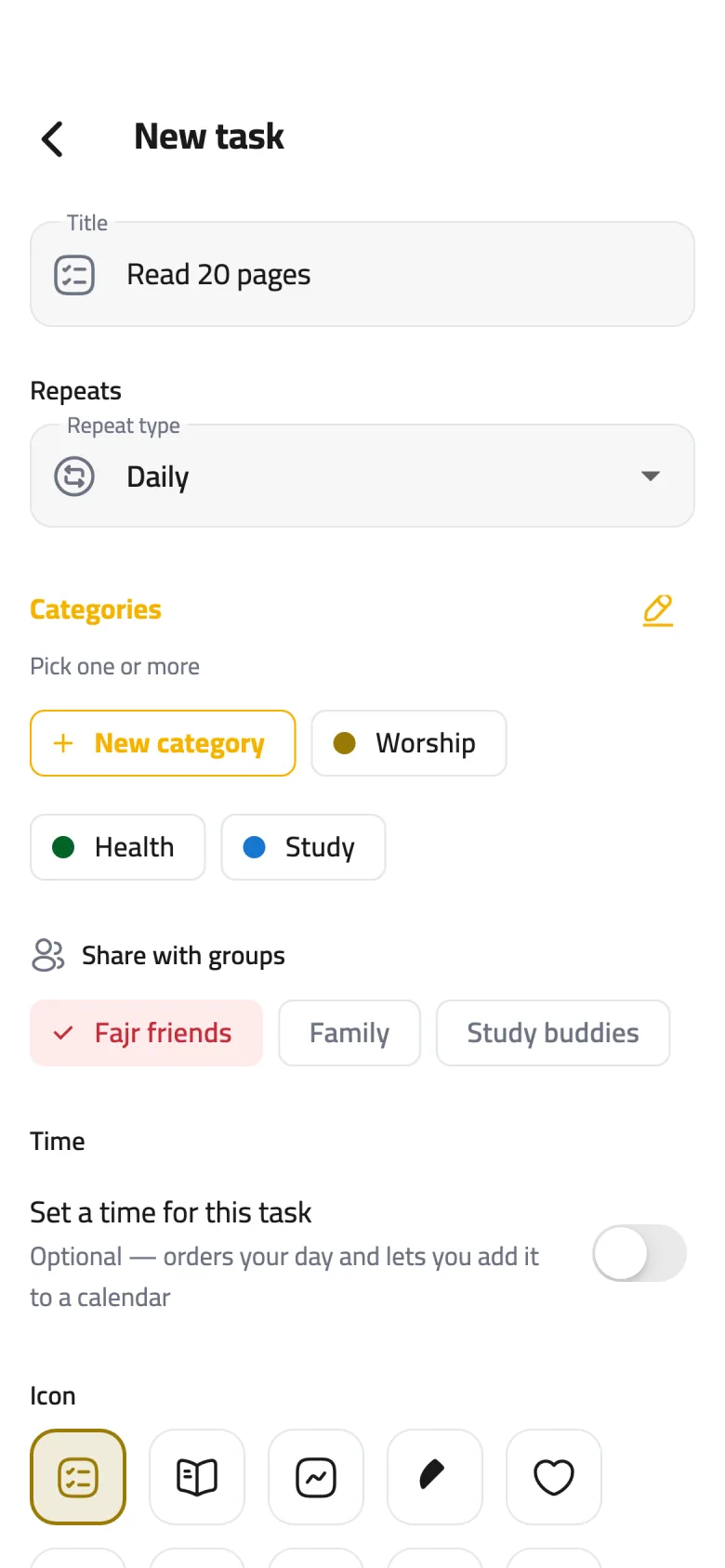
Pick the groups
Under Share with groups, tap each group that should see this task — a check mark appears next to it. Tap it again to stop sharing, then tap Save.
-
Step 3 of 4
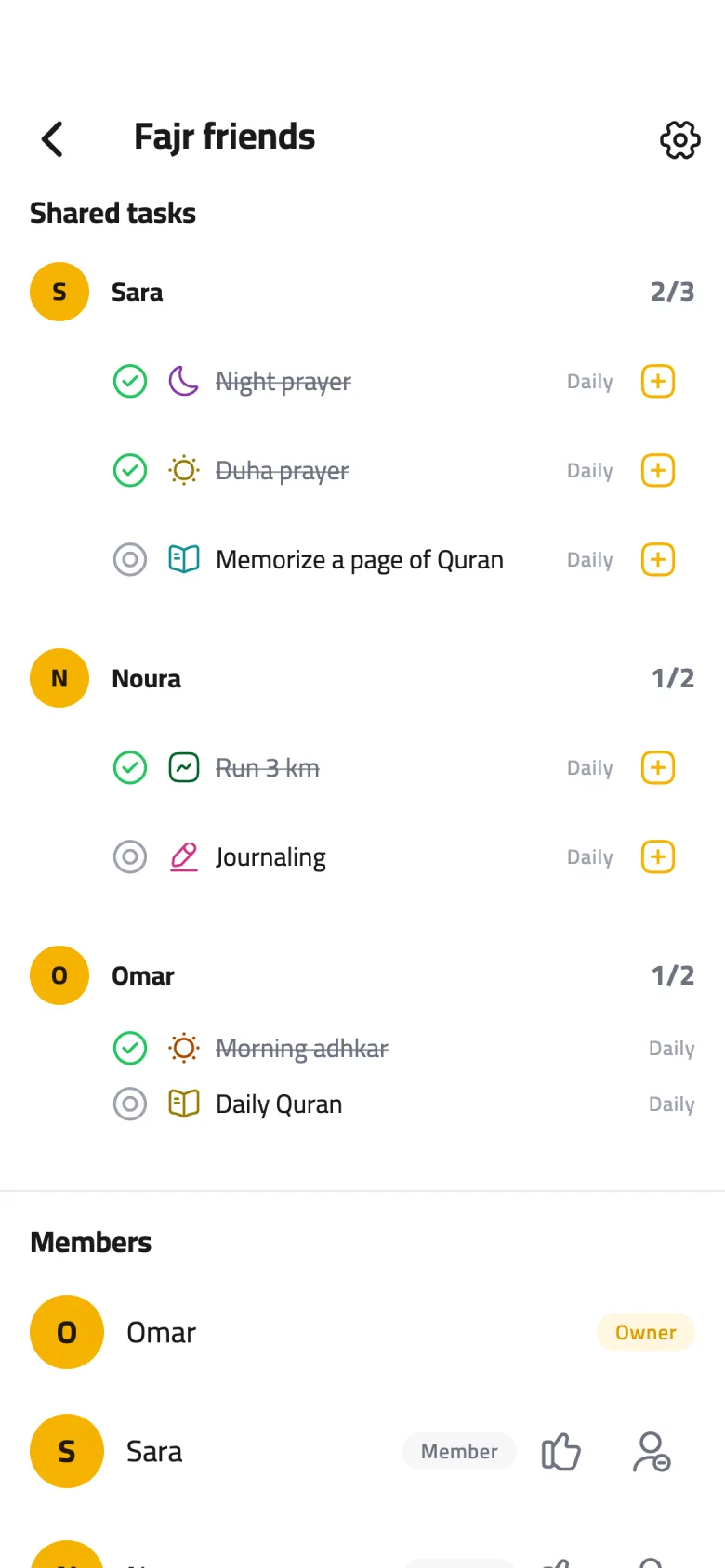
What your friends see
On the group's page, under Shared tasks, members see your task's name, icon and schedule, and whether you finished it that day. Only these tasks count toward the group's daily challenge.
-
Step 4 of 4
Add a friend's habit to yours
Like a friend's habit? Tap the + next to it (Add to my tasks) and it's copied into your tasks with the same name and schedule, shared with the same group. The button then turns into an “In your tasks” check.