
Reminders and alarms
Give your tasks a time so an alarm reaches you right on schedule, and set how often unfinished tasks nudge you.
4 stepsRifaq can reach you in two ways: an alarm on your device at a task's exact time, and reminders during the day about what is still unfinished. You decide when each one arrives.
-
Step 1 of 4
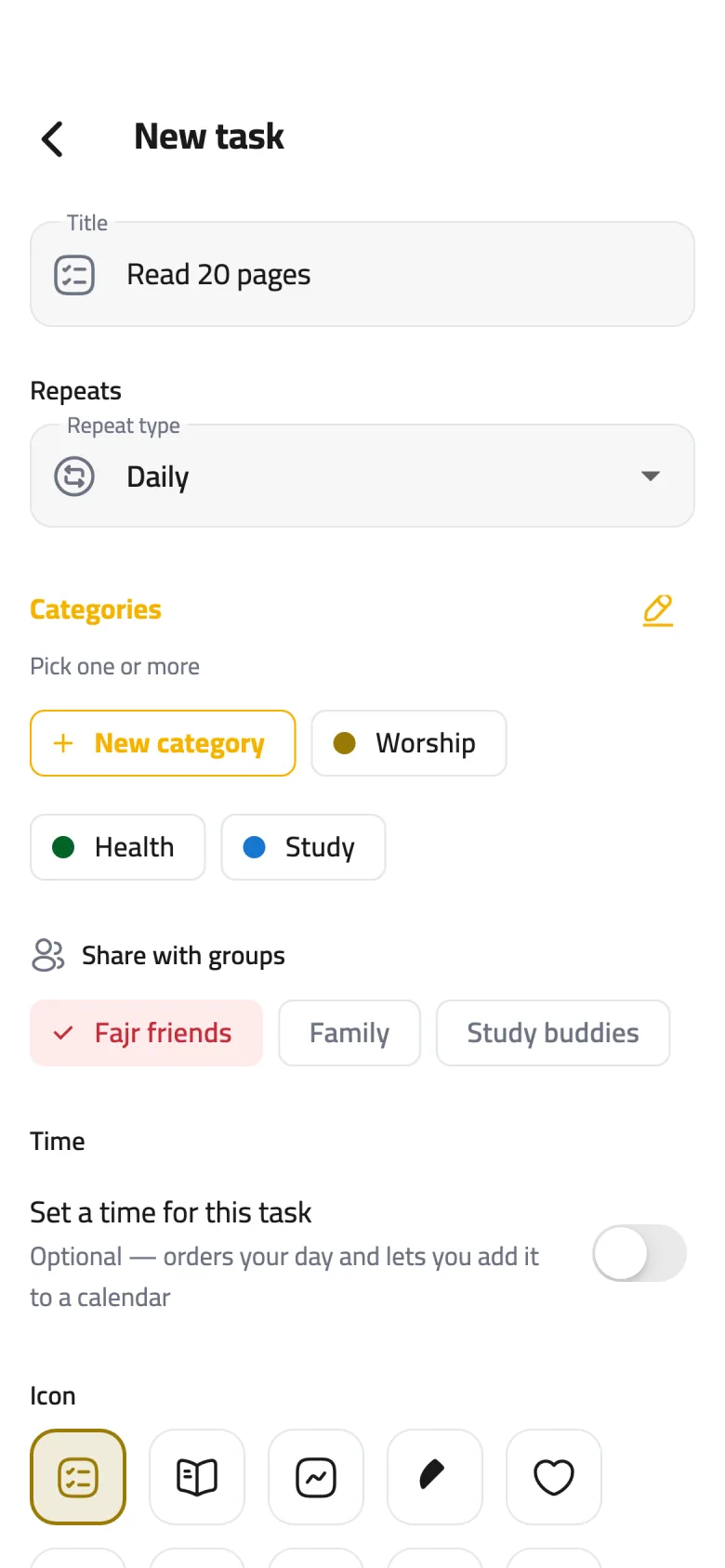
Give the task a time
In the task editor, turn on Set a time for this task; it starts at 8:00 AM. Tap the time to pick the one that suits you, and choose a Duration if you like.
-
Step 2 of 4
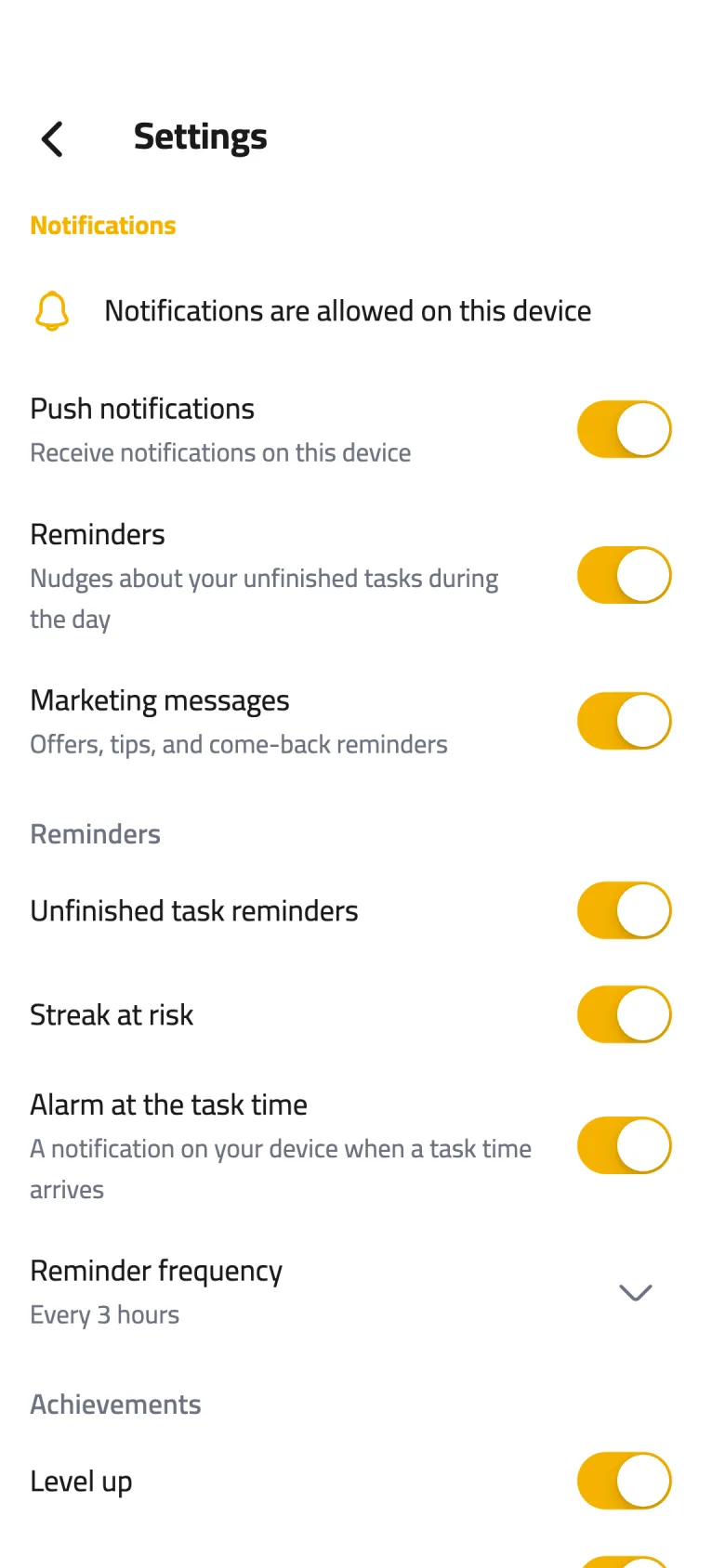
Allow notifications
Open Settings from the gear icon on your Profile page and scroll to Notifications. The first line tells you whether notifications are allowed on this device; if they are blocked, tap Turn on notifications.
-
Step 3 of 4
Turn on task-time alarms
Switch on Alarm at the task time to get a “Time for your task” notification at the time you set for each task; your device asks for permission the first time. The alarm runs on your device even without internet, and stays quiet for a task you already finished that day.
-
Step 4 of 4
Choose your reminder rhythm
Unfinished task reminders nudge you about what is left on your list during the day. Under Reminder frequency, pick Every 3 hours, for example, or Morning only, or Off.