
Counted habits
Set a target with a unit, like 20 pages or 8 glasses, and log your progress with the + and − buttons.
5 stepsSome habits don't happen in a single tap: "Read 20 pages", "Drink 8 glasses of water". A counted habit keeps count with you, step by step, until you reach your target.
-
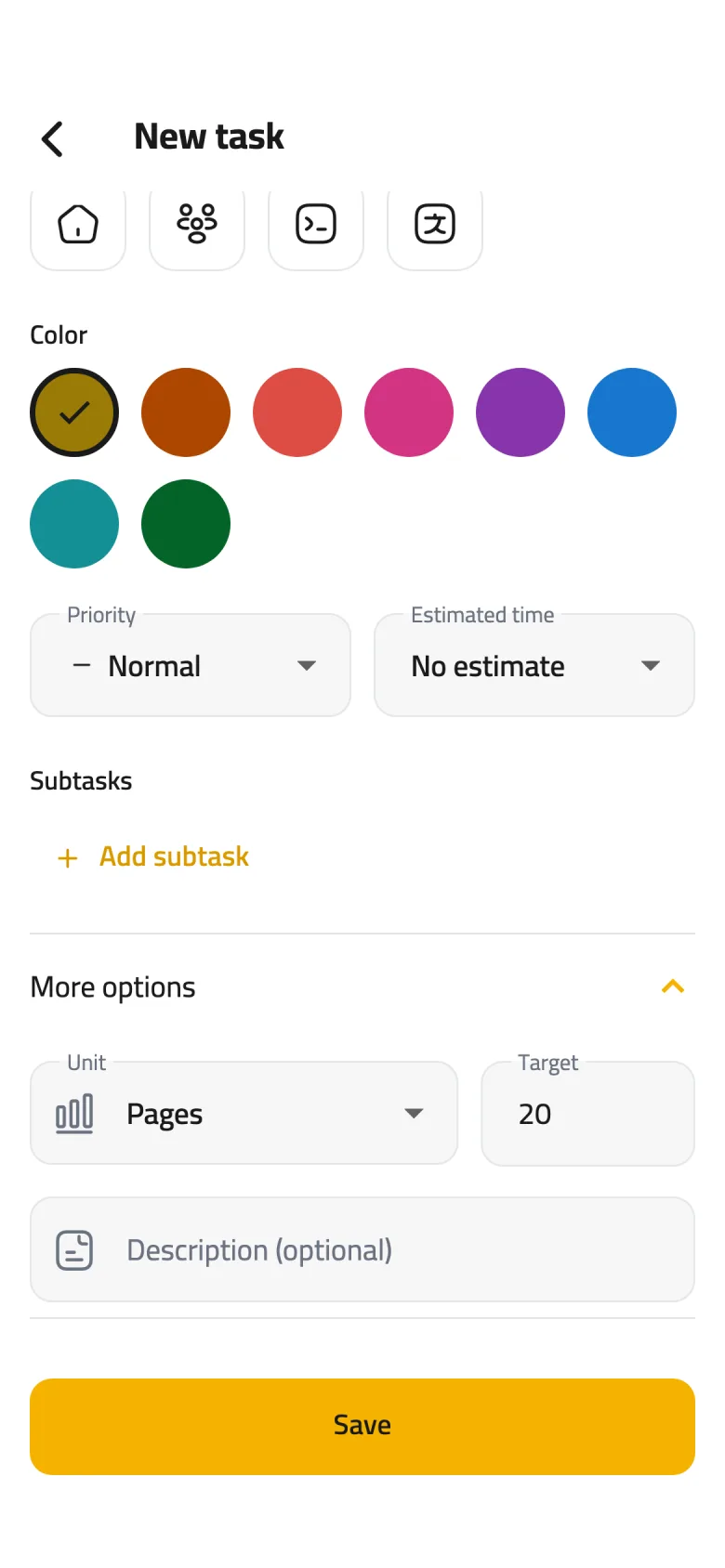
Step 1 of 5
Choose a unit
In the task form, open More options, then pick what you're counting under Unit: Pages, Glasses, Minutes, Rakʿahs and more. The unit is what turns a task from a check circle into a counter.
-
Step 2 of 5
Set the target
In Target, type the number you want to reach on each day the habit is due, like 20. If you type a target before picking a unit, Times is picked for you.
-
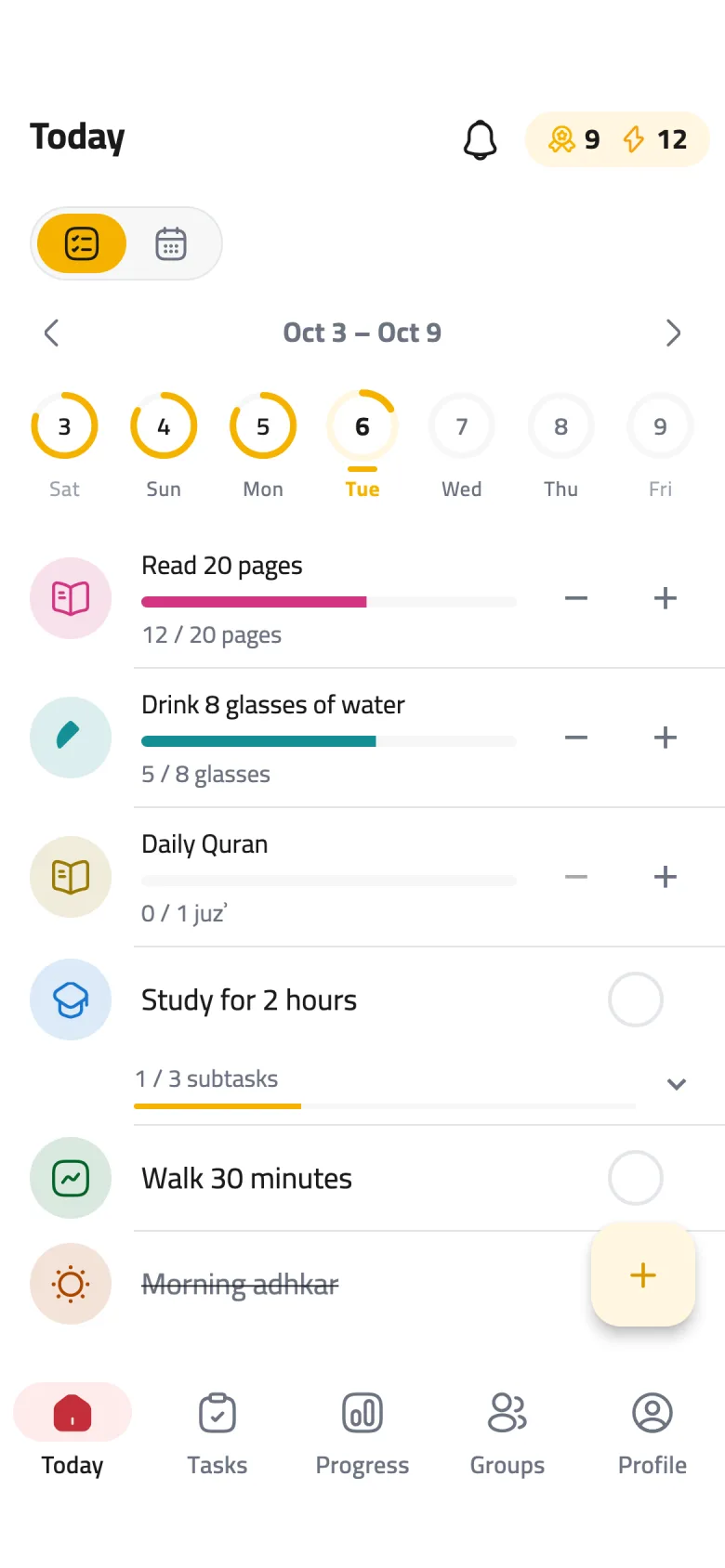
Step 3 of 5
Watch your progress
On Today, the habit shows a bar that fills with every step, with your count underneath, like "12 / 20 pages".
-
Step 4 of 5
Log with +
Each tap on + adds one. When you reach the target, the habit is done automatically and your day's ring moves forward.
-
Step 5 of 5
Fix it with −
Tapped one too many? − takes one away. If the count drops below the target, the habit is no longer marked done for that day.